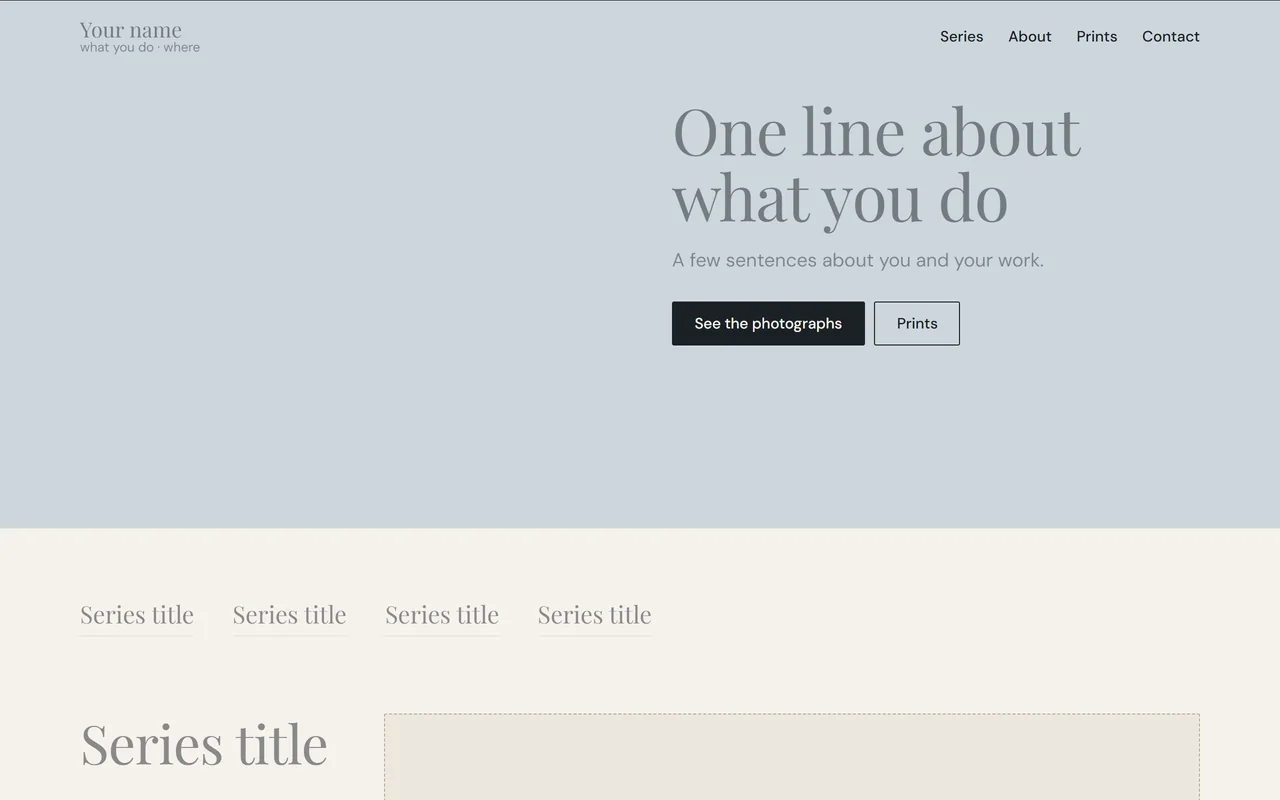
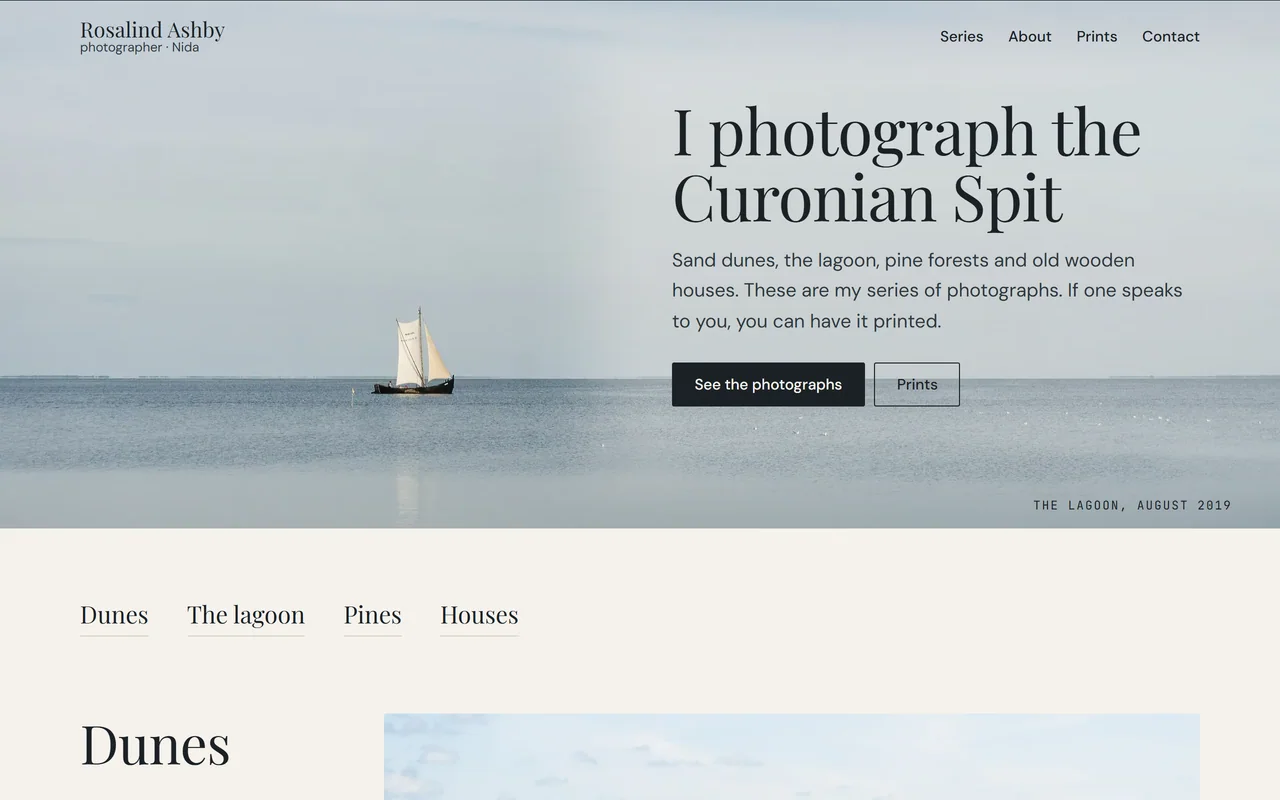
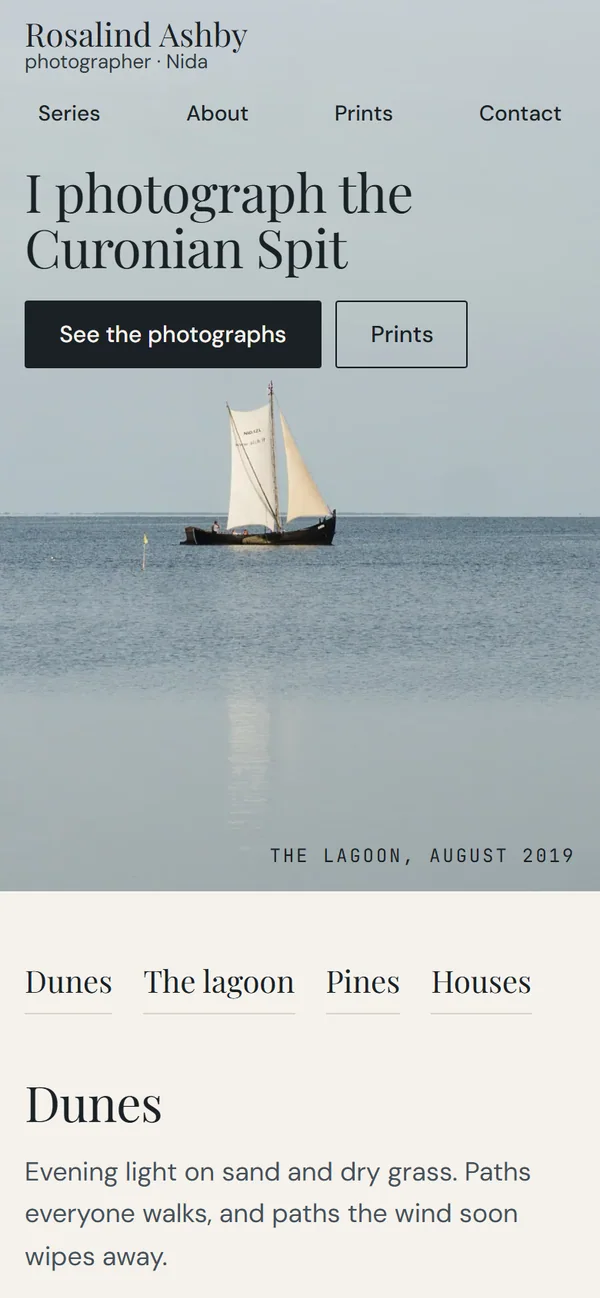
A site about one person and their work. In a control panel that works on your phone you type your name, your words and your photographs, and the site fills in. No developer needed.
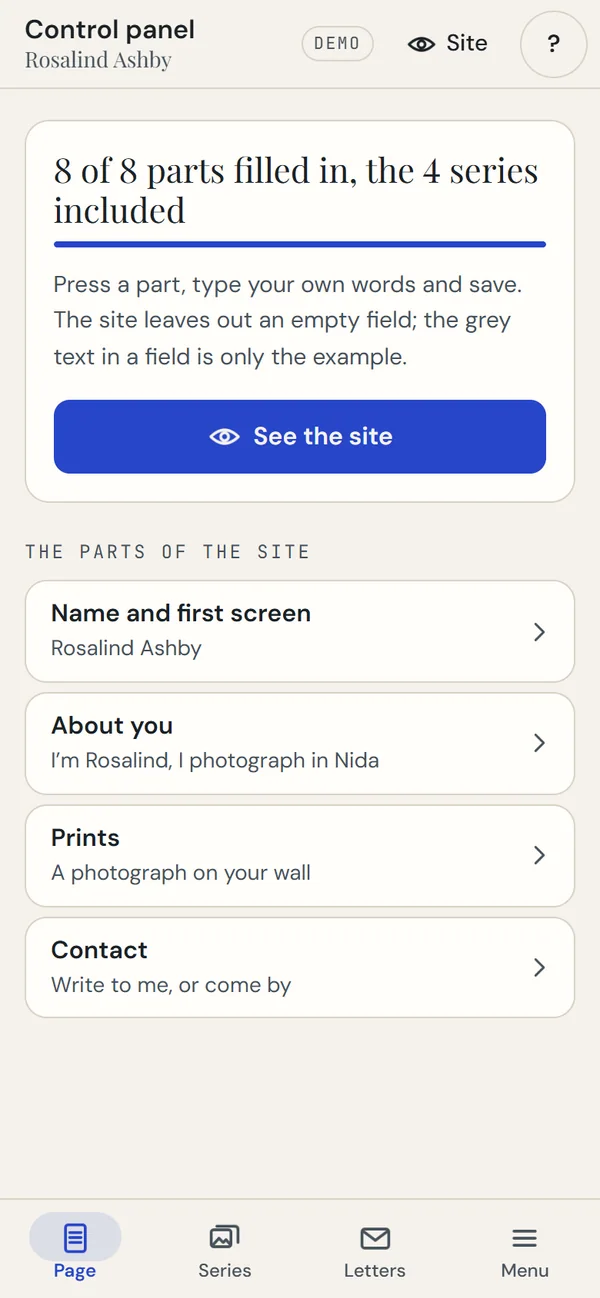
In the control panel 8 of 8 parts are filled in, and the site shows what was typed: a name, a headline, a photograph.
A demonstration. Rosalind and her site are made up, and this switches between two pictures of the demonstration. Open the live site →
Photographs: Alexey Komarov, Wikimedia Commons, CC BY-SA 4.0
01The offer
What you get
A site about you, not a template with your name on it.
The site
Everything about you on one site
A first screen with your name, a headline and a large photograph, and below it your work, a text about you, prices and contacts. It looks right on a phone and on a computer.
The photographs are real: Alexey Komarov, Wikimedia Commons, CC BY-SA 4.0, resized and cropped. Rosalind and her site are made up.
Series
Your work in series
Each series has a title, a line, a text and its own photographs. The demonstration has four, each laid out differently.
About you
Your story in your words
A text, a photograph and a few facts about you.
Prints
Sizes, prices, how to order
Sizes with prices and three steps to order. It is not a shop: the demonstration has no card payment, and that is built to order.
Contact
How to reach you
Contact lines and a photograph: where you are, when you answer, how to get in touch.
Viewing
A photograph full screen
A tap opens a photograph across the whole screen. You move through them with the arrow keys, or by swiping on a phone.
Languages
Labels in Lithuanian and English
The site’s menus and labels are in Lithuanian and English. In the panel you write your own texts in one language; a second language for your texts I add to order.
02The panel
Your side: a control panel on your phone
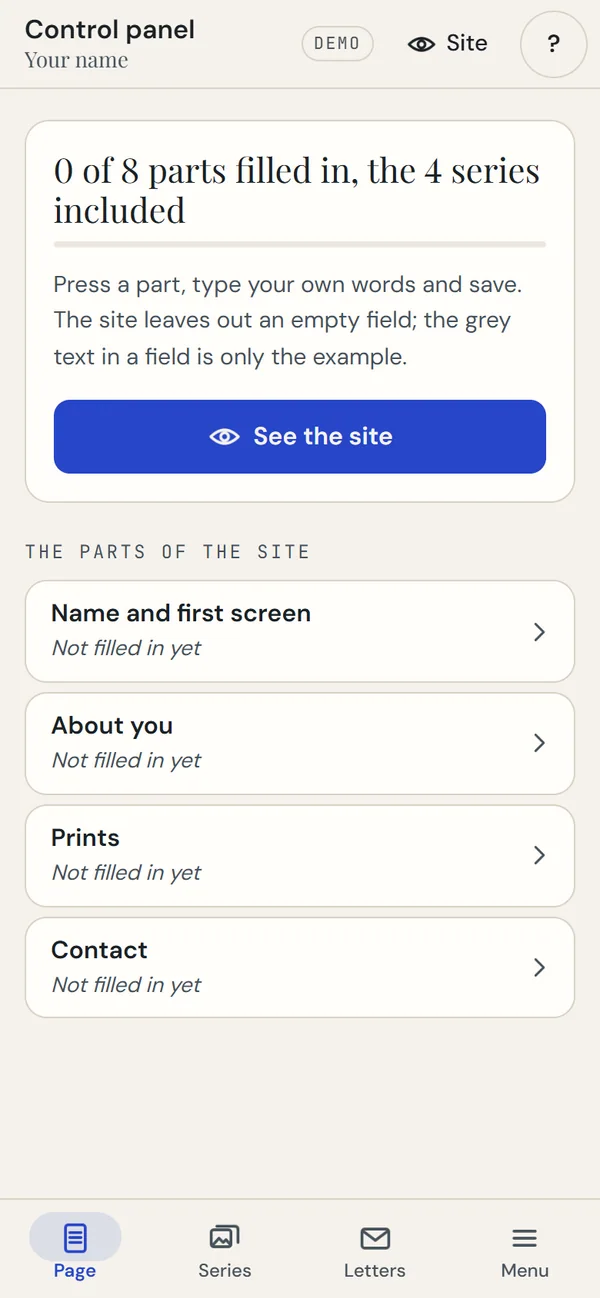
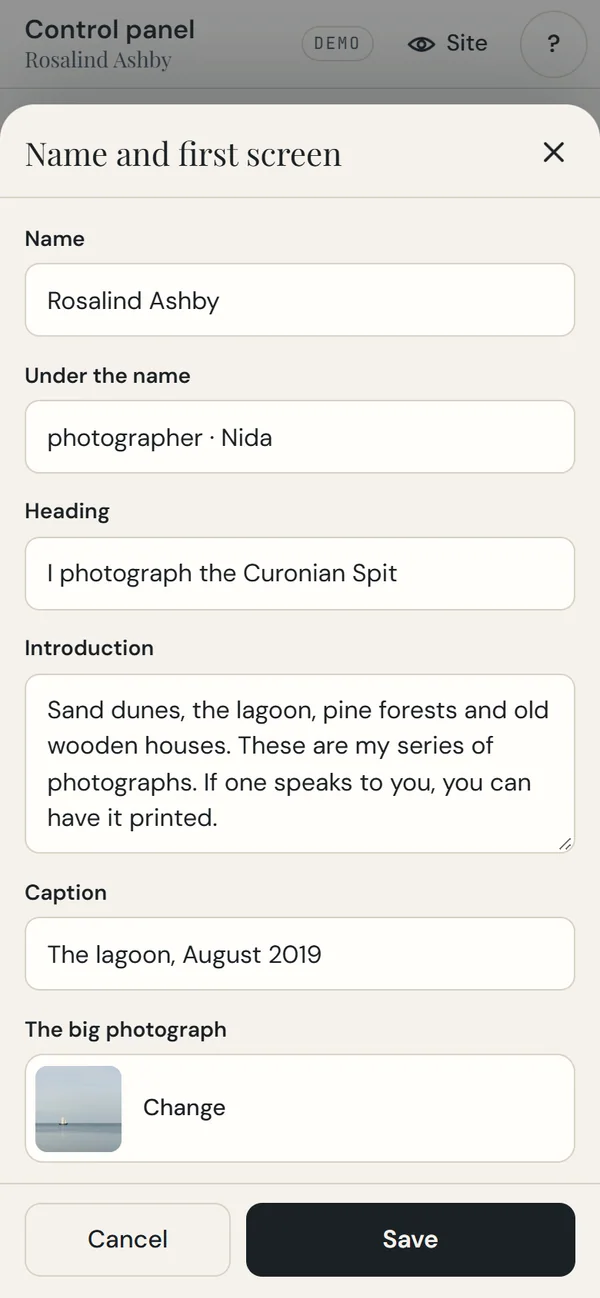
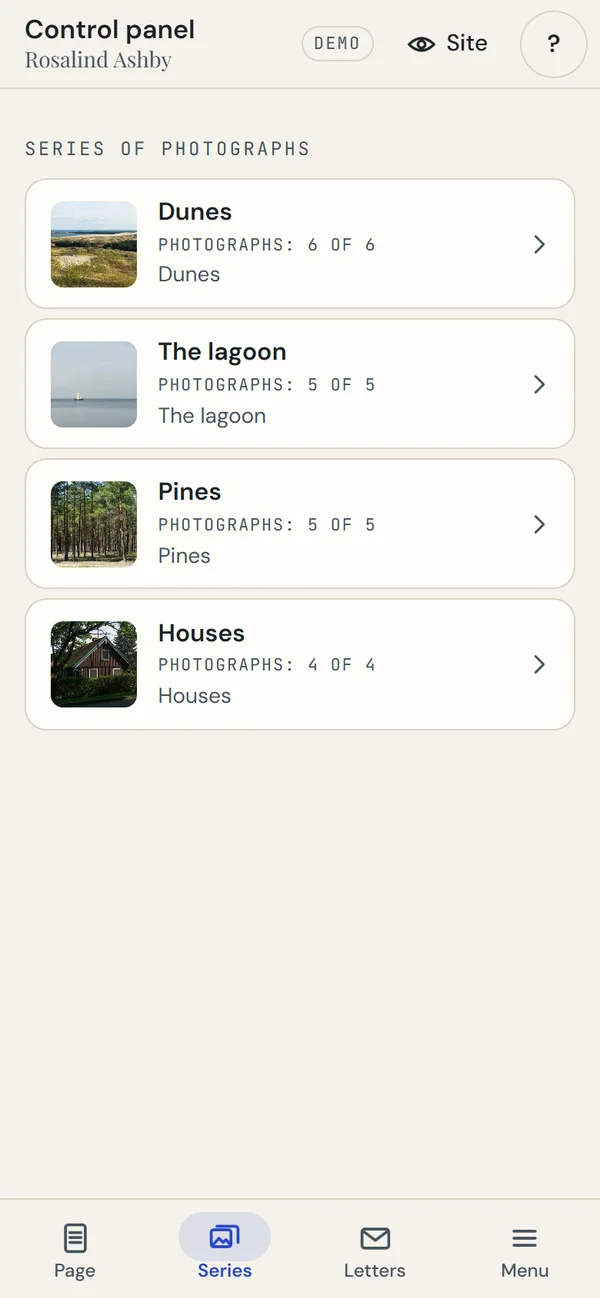
The control panel of Rosalind, the made-up photographer, as she sees it. You can open it and try it yourself.
It arrives blank
0 of 8 parts filled in. Every part says “Not filled in yet”, so it is clear where to begin.
Tap a part
A sheet opens with its fields: a name, a headline, an introduction, a photograph’s caption and the large photograph. “Save” is at the foot.
Series
Each series: a title, a line, a text and its photographs. You see how many photographs are already there.
All filled in
8 of 8 parts filled in, and the site shows what you typed.
Three tabs at the foot (Page, Series, Menu), which become a sidebar on a computer. You upload your photographs, which are cut to 2400 px, or pick from the demonstration’s library. How many series, photograph places, sizes and contact lines there are I set when I build the site; in the panel you fill them in and change them. Open the control panel
A demonstration. Rosalind and all her details are made up. In the demonstration the panel saves everything in your browser only; on a real site it saves to the site itself.
03Try it
Try it yourself
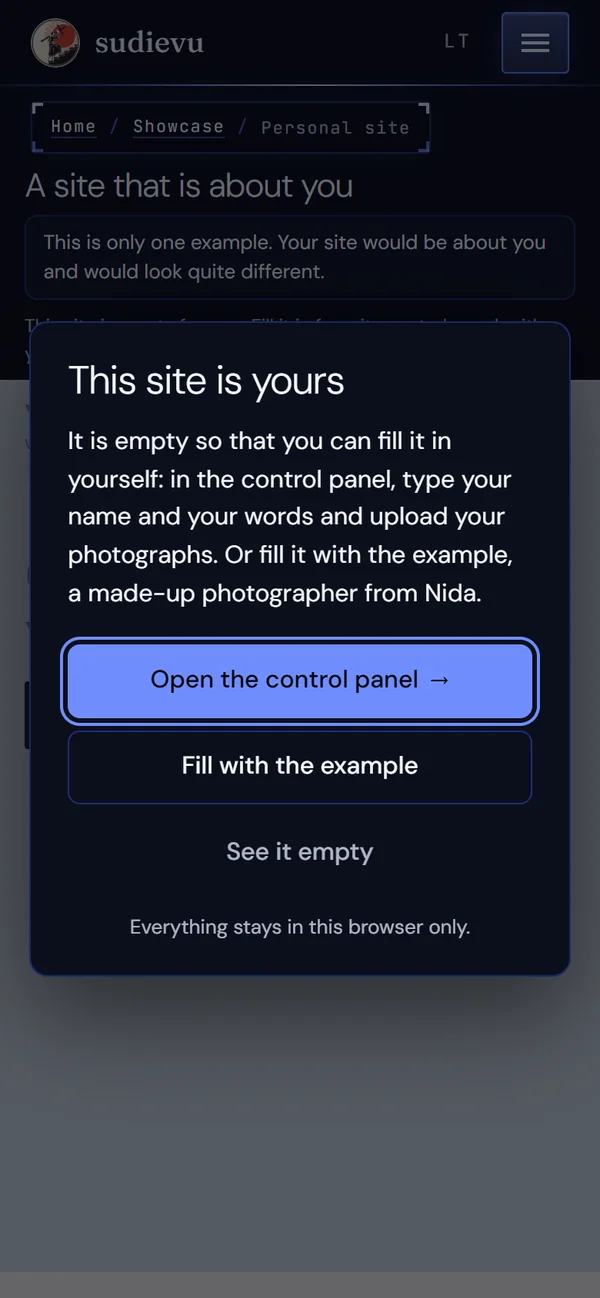
The demonstration opens blank, the way your site arrives.
The first time you open the demonstration you will see a window with three ways in:
First way
Open the control panel
You type your name and your words, upload a photograph, and the site changes.
Second way
Fill it with the example
You get the made-up photographer’s site with all her photographs, and see what it looks like full.
Third way
See it empty
You see the site as it arrives, and understand what you will need to write.
In the demonstration everything stays in your browser only. Nothing is sent to a server, and your changes do not alter my site. The window shows only the first time, and you can clear everything with the panel’s “Start over” button. On a real site the panel saves to the site itself.
04Comparison
Your own site or only a profile on a platform
You need not choose only one. But it is worth knowing who owns what.
Your siteA profile on a platform: ask yours
Name and address
Your siteA visitor arrives at your address, under your name and in your look.
A profile on a platform: ask yoursAre the address and the look yours or the platform’s? Can you take them with you if you leave?
Photographs and texts
Your siteThe photographs and the texts sit on your site, cut to 2400 px; the originals stay with you. If you do not want upkeep later, I hand over the code, the data and the credentials.
A profile on a platform: ask yoursAt what size are your photographs shown? Can you take all of them with you?
Look
Your siteThe site is made about you and your work. Rosalind’s is only one example; yours could look quite different.
A profile on a platform: ask yoursCan you change the layout, or only choose from templates?
Price
Your siteA one-off payment for the site, and hosting from €10 a month.
A profile on a platform: ask yoursDo you pay every month? What happens if the platform changes its prices or terms?
Who finds you
Your sitePeople who search for your name find you, and so do those you give the link to. A website does not bring strangers by itself.
A profile on a platform: ask yoursA platform’s or a social network’s traffic may show you to new people: that may be its strength.
You can use both: a profile as a shop window, your site as your home. Neither gets in the other’s way.
05Pricing
The price
Everything the demonstration shows is in the site’s price.
The site
€99paid once
A site with everything the demonstration shows: a first screen, series with photographs, a text about you, prints and contacts, photograph viewing, labels in Lithuanian and English, and a control panel on your phone.
Hosting and upkeep
from€10/ month
The server, backups, monitoring, updates. You can leave upkeep out: then I hand over the code, the data and the credentials.
Beyond the demonstration
Quoted
A shop with card payment, a blog, a booking calendar, a newsletter, a second language for your texts or anything else the demonstration does not have is built to order: I name the price before I start.
Write or call. I work out what you need and quote the options for your current site or a new one.
02
Usually two weeks
I usually present the finished project within two weeks of receiving your answers and material. The exact date goes into the contract — it depends on the customisation and the size of the order.
03
We go live
The site goes public. I set up SEO free of charge. Where needed, I help set up Google Analytics, Ads, Tag Manager and Search Console.
04
Upkeep, if you want it
From €10 a month: security updates, fixes, small changes. The contract runs a year or longer, paid monthly or yearly, and yearly gets two months free. Without upkeep, you get the code, the data and the credentials, and pay only for the build.
07Questions
Common questions
Short answers.
Do I need a developer to change a text or a photograph?
No. In the control panel you tap a part, change it and press “Save”.
How are photographs uploaded?
You pick a photograph on your phone or computer. A large one is cut down to 2400 px on its longer side.
Can I sell photographs or work on the site?
The demonstration has print sizes, prices and three steps to order. Card payment, a shop or a booking calendar I build to order, and I name the price first.
Does this suit someone who is not a photographer?
Yes: an artist, a musician, a writer, a craftsperson, a coach, a freelancer, anyone who needs a site about themselves and their work. Rosalind is only an example; yours could look quite different.
Does it all work on a phone?
Yes. The site looks right on a phone, and the control panel is built phone-first.
Do the changes I make in the demonstration stay?
They stay in your browser only, until you press “Start over” or clear your browser’s data. They do not change my site.
What if I later do not want your upkeep?
You can leave upkeep out: then I hand over the code, the data and the credentials.
Write to me
Tell me about yourself and your work: what you do and where you show it now.