A website where guests order straight from your kitchen.
Delivery apps keep from a fifth to a third of every order. Your own site takes the same order with no commission: the guest picks the dishes, and the order shows up in the kitchen.
Stays with the caféAn app’s share would be here: 20–33%
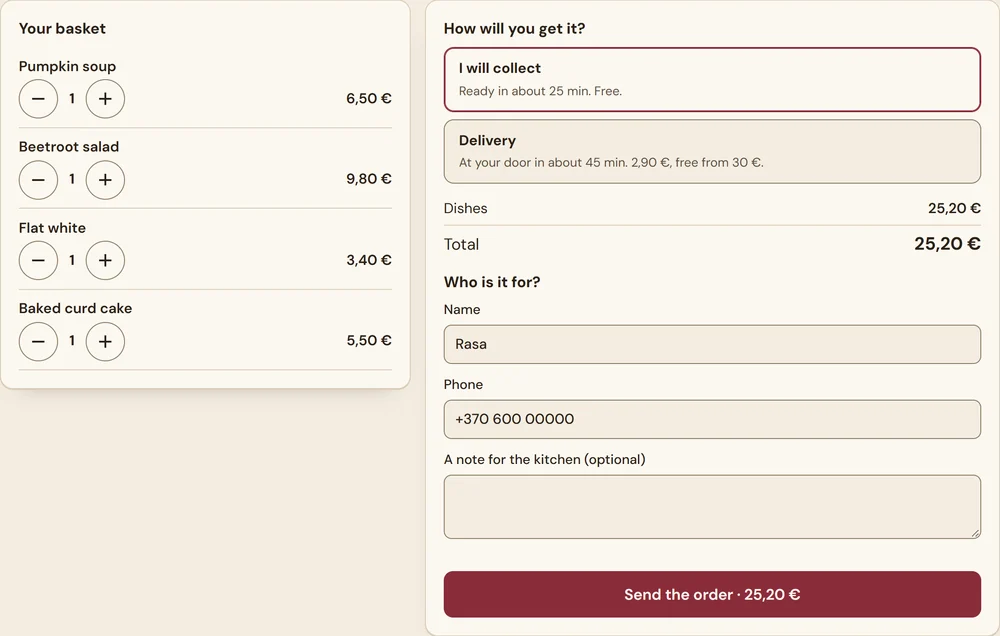
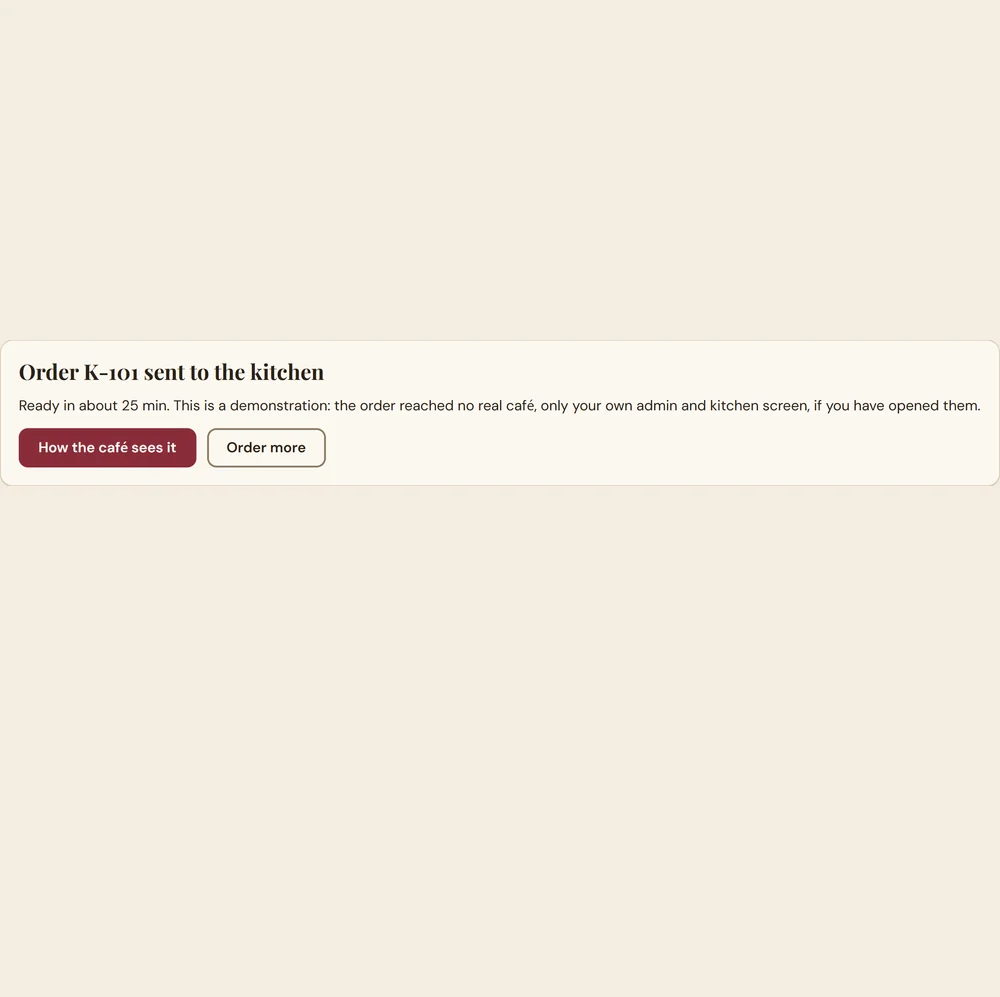
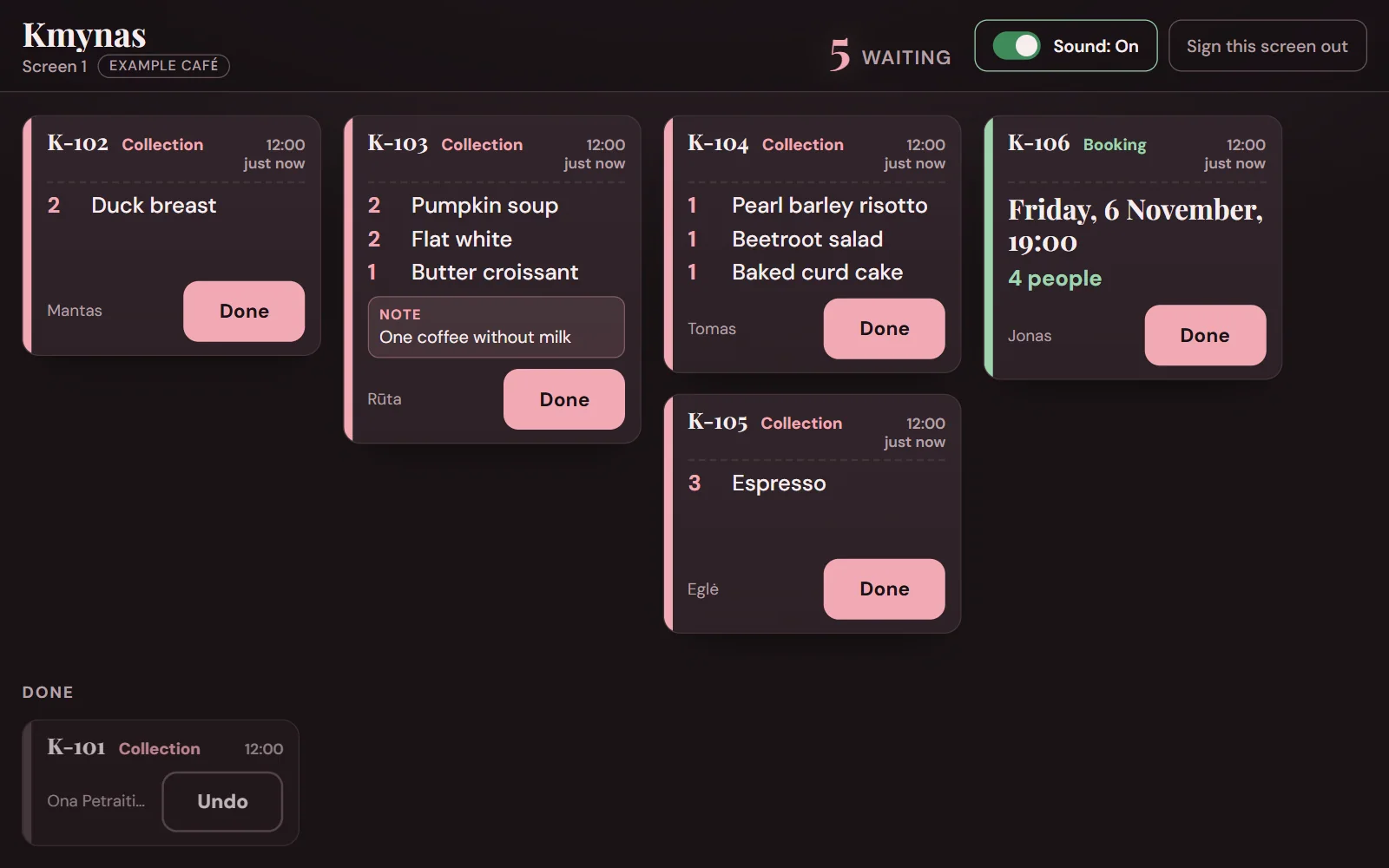
Order K-101 is sent: it is already in the kitchen, and all of the 25,20 € stays with the café.
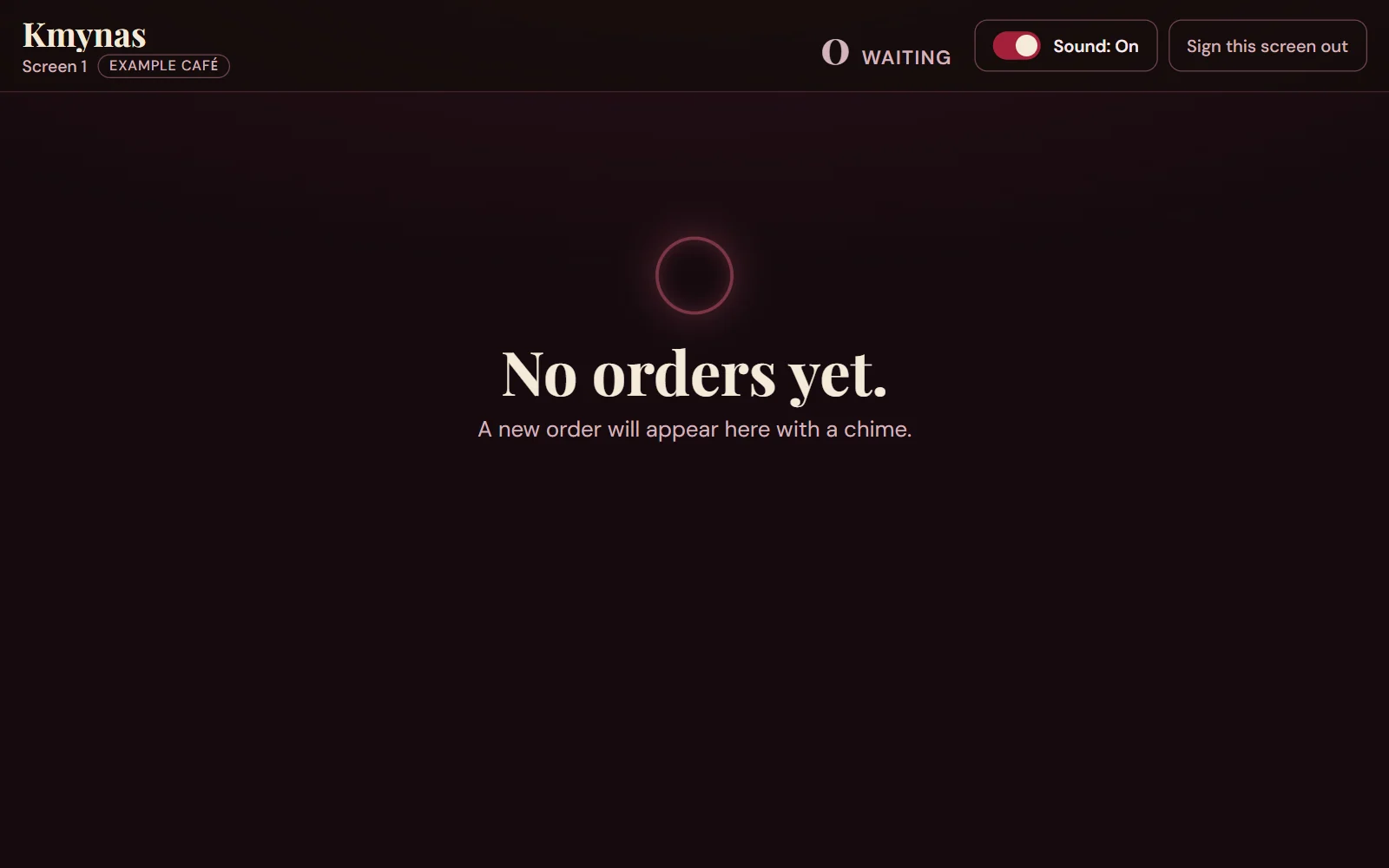
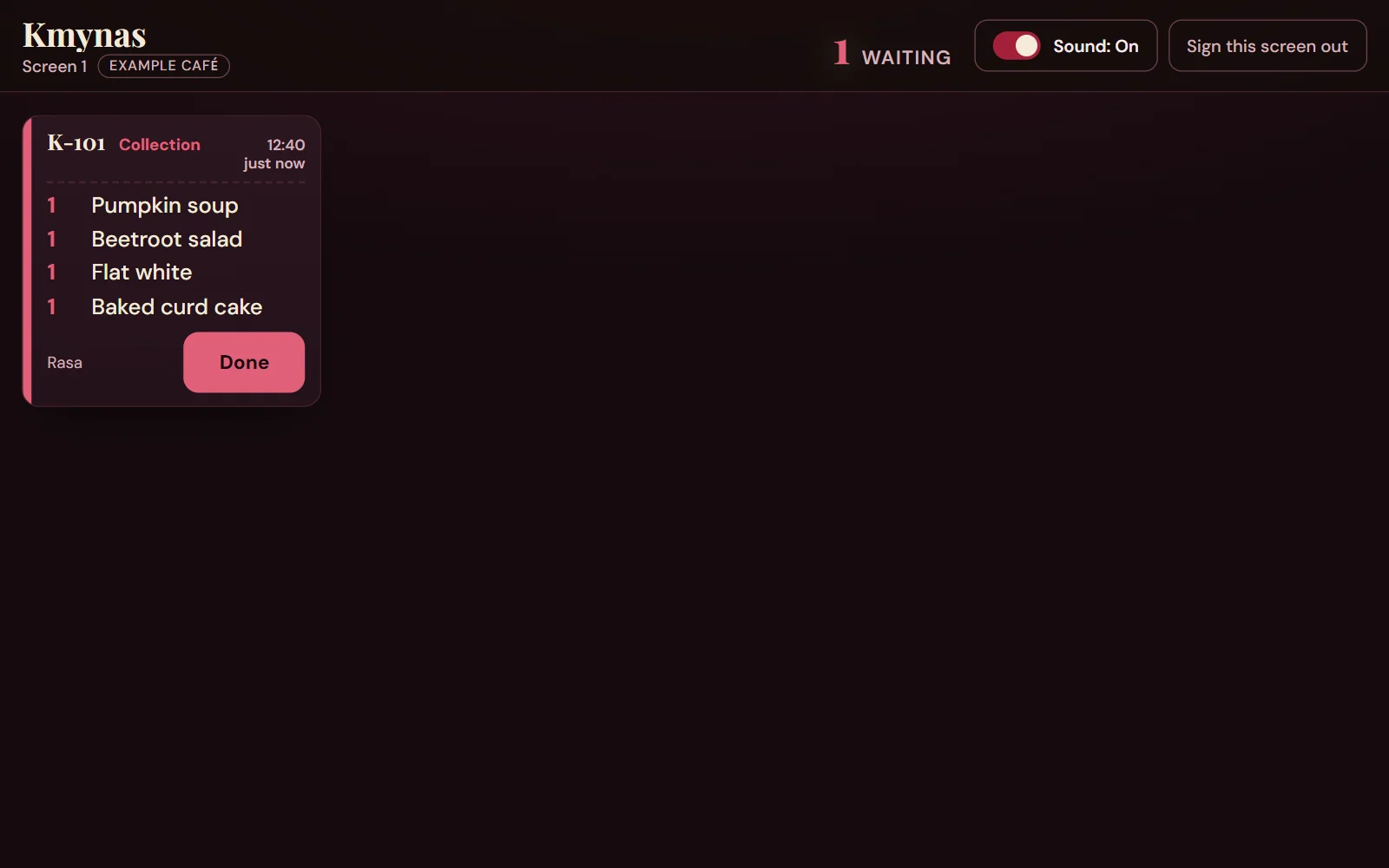
These are two real moments of the demonstration, and the café is made up. The kitchen side’s colours are changed to match this page. Try it yourself →
01The numbers
What the apps keep
A few figures from the press and from Wolt itself. Enter your own orders and pick a rate.
You hand to the apps each month
—
A year
—
On one order
—
Enter your orders and your average order.
Where these figures come from
20–25%Wolt, on its own blog2021-01-22: the average commission in Lithuania is 20–25%.
30%A sushi restaurant’s owner, tv3.lt2026-01-11: about 30%, and about 10–12 points more for Wolt+ or Bolt+.
33%A kebab shop’s owner, 15min.lt2026-08-04: Bolt Food raised its commission from 20 to 33%.
Multiply a month of your orders by one of these percentages: that is what you hand to the apps.
This shows only the app’s commission: the card processor’s fees are not counted, and not every order will move to you. The sum runs in your browser and is sent nowhere.
02What you get
Everything the demonstration shows
On the Kmynas site you see real things. All of them are in the site’s price.
Tables
A booking that lands in your app
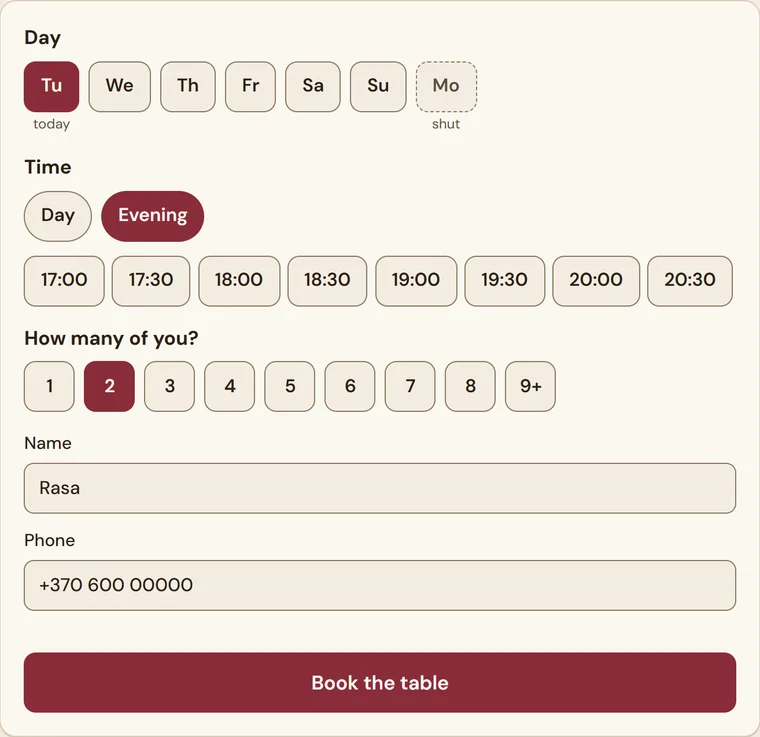
The guest picks a day, a time and how many of them there are. The booking appears at once in your app, like an order: no calls and no notebook. A group of more than eight phones instead. The days you are closed show as closed.
Orders
Takeaway and delivery
You set the districts, the delivery fee and the amount above which delivery is free in the app yourself, and the site charges by them at once. Alcohol cannot be ordered online, for delivery or for collection: in Lithuania it cannot be sold remotely.
Menu
A menu you edit from your phone
You add, change and remove dishes and change prices, photos and allergens (all 14 EU allergens) yourself, without a call to a developer: take a photo with your phone and it is on the menu at once. Mark a dish “sold out” when it is gone.
Hours
Orders only while you are open
An order can be placed only in opening hours, until half an hour before closing. And when the kitchen is full, one switch pauses ordering and you turn it back on when you can keep up.
Kitchen
Every order on the kitchen screen at once
A new order appears with a chime on the kitchen screen, a tablet or a TV, and an alert reaches your phone: the order’s number, its total, collection or delivery, and how many dishes. Every table booking sends one too.
Search
Menu and hours that Google reads
The menu and opening hours are text on the site, in Lithuanian and English, not a PDF or a picture, and published again in the form Google reads (schema.org): the restaurant, its opening hours and every dish with its price. Change the menu in the app and they change too.
Paying by card online is not in the demonstration: see the price for it.
03Your side
How it looks to the owner
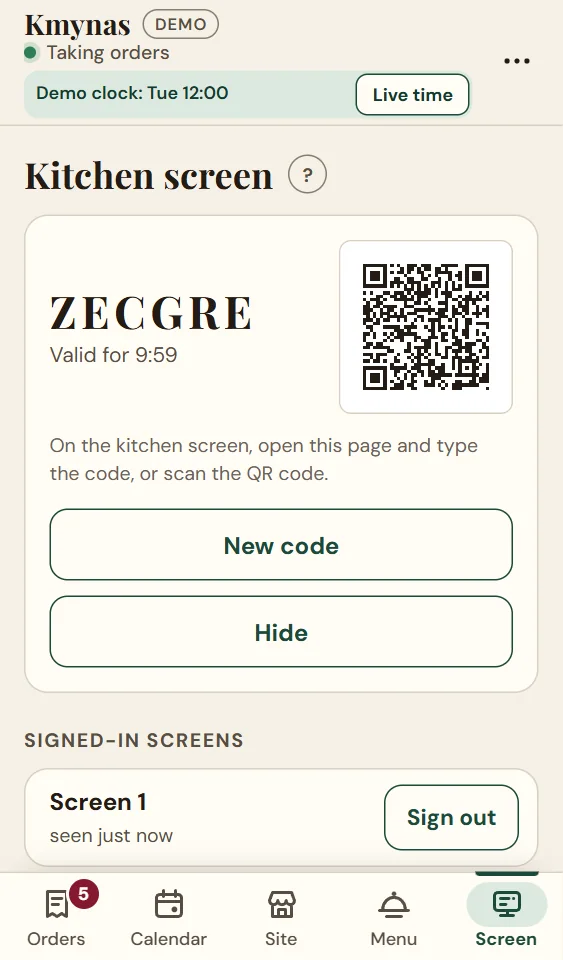
You run the orders, the menu and the kitchen from a phone: on an Android phone I install the app as one of its own, with your name and icon.
The kitchen screen
New orders and table bookings appear here. Tapping “Done” clears an order from the screen.
The site
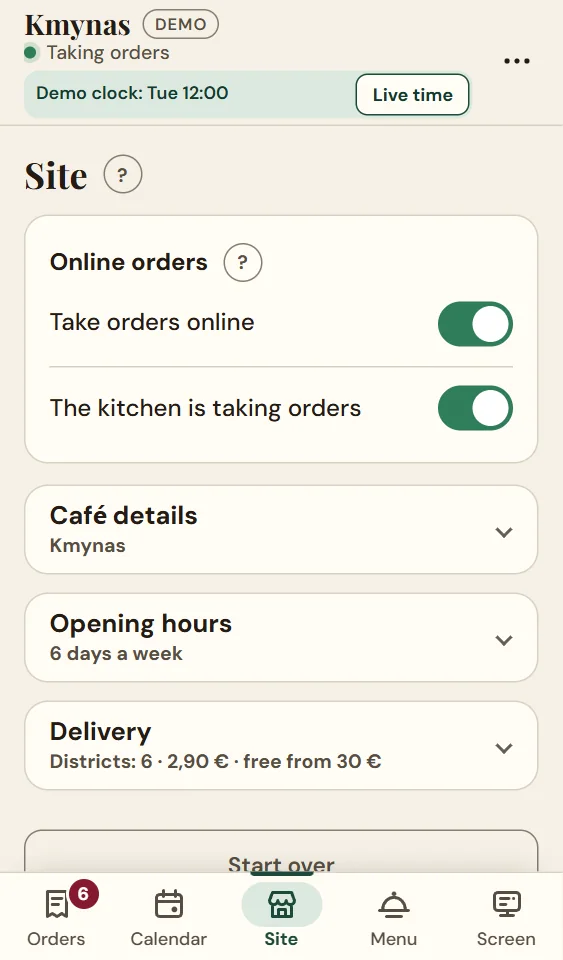
Opening hours, contacts, the delivery districts and fee, and two switches: take orders online, and whether the kitchen can keep up.
The menu
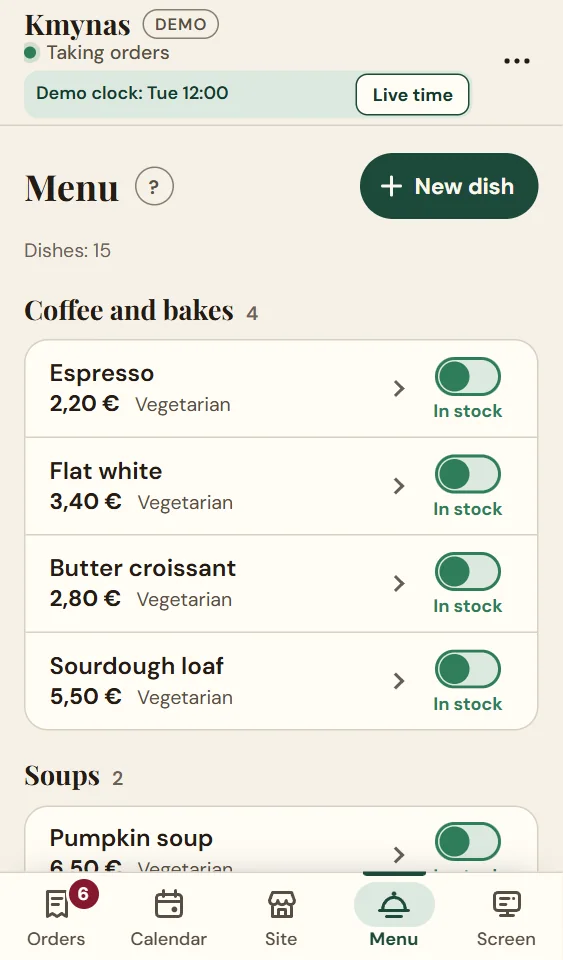
Price, photo, allergens, “sold out”: change one and the site changes at once.
Connecting the screen
The kitchen’s tablet or TV connects with a code or a QR, no password, and one press disconnects it.
You can try the app in the demonstration: fill the café from your phone, order on the site and watch the order appear in the app and on the kitchen board. Open the app
The pictures show the same made-up café: there is no real customer’s data here.
04The demonstration
See how it looks
A made-up café in Kaunas. On its site you can try everything yourself.
KmynasA café in Kaunas that does not exist
Try
a menu the owner edits: prices, photos, allergens, sold out
takeaway and delivery to the Kaunas districts the owner picks, free above the amount they set
a table booking
an “open now” sign that follows the time of day
an order on the site: it lands in the owner’s app and on the kitchen board
Fill the café from the app on your phone, order on the site and watch the order land in the app and on the kitchen board. Nothing reaches a real café.
Everything the demonstration shows: a site in two languages, a menu with allergens, ordering for takeaway and for delivery to set districts, a menu you edit from your phone, table bookings, the owner’s app, the kitchen screen and the alerts.
Hosting and upkeep
from€10/ month
The server, backups, monitoring, updates. You can leave upkeep out: then I hand over the code, the data and the credentials.
What goes beyond the demonstration
Agreed beforehand
Paying by card online, delivery zones drawn on a map, a loyalty scheme, and whatever else the demonstration does not have. I name the price of each before I start.
Write or call. I work out what you need and quote the options for your current site or a new one.
02
Usually two weeks
I usually present the finished project within two weeks of receiving your answers and material. The exact date goes into the contract — it depends on the customisation and the size of the order.
03
We go live
The site goes public. I set up SEO free of charge. Where needed, I help set up Google Analytics, Ads, Tag Manager and Search Console.
04
Upkeep, if you want it
From €10 a month: security updates, fixes, small changes. The contract runs a year or longer, paid monthly or yearly, and yearly gets two months free. Without upkeep, you get the code, the data and the credentials, and pay only for the build.
07Questions
Common questions
Short answers to what restaurant owners ask.
Can you pay online in the demonstration?
No. The demonstration sends the order to the kitchen and nothing anywhere else. I add paying by card online separately: it depends on how you want to take the money, so we agree the price beforehand.
Who delivers the food?
You or your own courier. The site takes the order, checks that it is for one of your delivery districts, and shows it to the kitchen. I have no courier network and do not promise one.
Will I not lose the customers who look on the apps?
Some orders will probably stay on the apps, and the calculator does not hide that: it shows what you hand over on the orders you enter, not what you will save. The site just gives a customer a second, direct way, which you can offer on a sticker, a menu or a receipt.
Can I change the menu myself?
Yes: from your phone you add, change and remove dishes, change prices, photos and allergens, and mark a dish “sold out” when it is gone. The delivery districts and fee are changed there too. You never need to ask me for a single price.
Write to me
Tell me about your place and how many orders go through the apps now.